

Time types designate specific hourly wages for guides. They differentiate full-time employees, seasonal workers, and contractors and clarify the tasks and responsibilities each staff member undertakes. For example, a guide specialising in leading kayak tours falls under the time type called Kayak Guide. Similarly, a guide who steers a boat is designated as a Captain.
You need to create time types to be able to use timesheets. For more information, see our Timesheets guide.
Add a New Time Type
-
In the Administrator section in the left main menu, navigate to Settings → Time types.
-
Click Create time type.
-
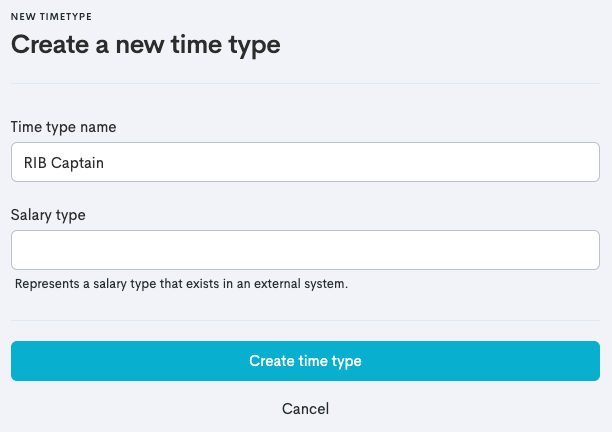
Add the information needed:
-
Time type name: Give the time type an informational name.
-
Salary type: Represents a salary type that exists in an external system.
-
-
Click Create time type.
Edit a Time Type
-
In the Administrator section in the left main menu, navigate to Settings → Time types.
-
Find the time type where you want to make adjustments and click the three dots

-
Click Edit (or Delete if you want to remove the time type from your list).
-
Make adjustments to the Time type name or the Salary type.
-
Click Save changes.
An admin can adjust the salary rates for each guide's connected time types.