

Need help or have a question? Submitting a support ticket is the fastest way to get assistance from our team. Providing the right details from the start helps us assist you faster and more accurately.
This guide walks you through creating a ticket inside Bilberry.
🎟️ Submit a Support Request
How to submit a support request:
-
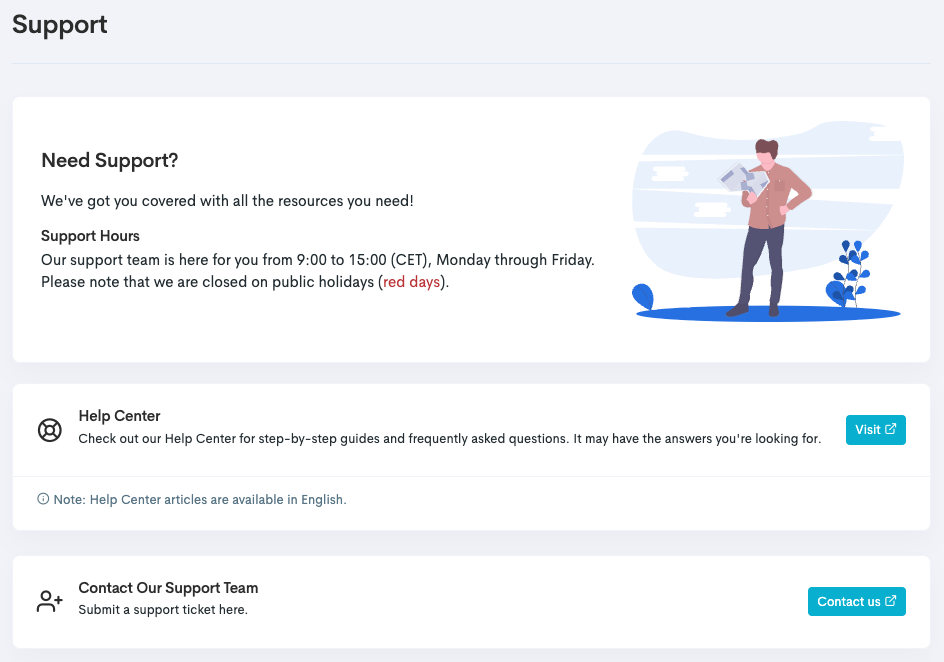
In the left main menu, navigate to Support.
From the support page it is possible to access the Help Center, and/or submit a support request.
-
Click Contact us to be directed to the Support Desk where you can contact the support team.
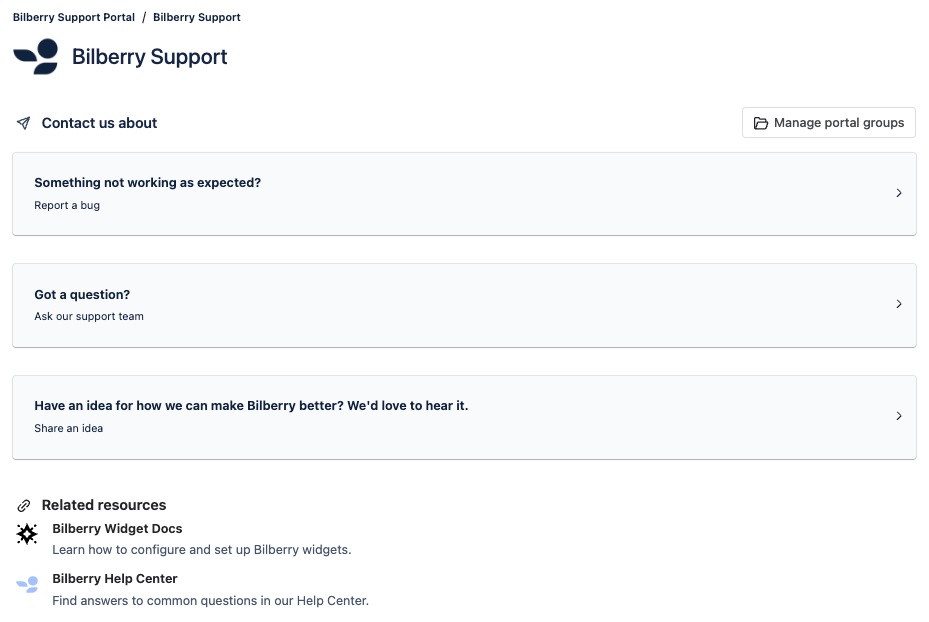
This takes you to our Support Desk where you have several actions to choose from:
|
Field |
Description |
|---|---|
|
Report a bug |
Report a noticed bug in the system. ⚠️ Document the bug clearly with an explanation of its behavior, a link to the page where it occurs, and screenshots or recordings. This allows the Support Team to report the bug to developers more quickly and efficiently. |
|
Ask our support team |
Ask a general question about Bilberry. ⚠️ Document your question clearly with a detailed explanation, a link to the related page in Bilberry, and screenshots or screen recordings. This helps the Support Team assist you faster and more efficiently. |
|
Share an idea |
Report a feature you want developed in the future. ℹ️ No guarantees, but this offers a chance to influence the system's development direction. |
Only registered users can contact Bilberry Support with account-specific questions. Keep your user list accurate and up to date, including staff and external partners like accounting firms. Please read more about user roles and permissions here.
For GDPR and security reasons, we cannot discuss account details with anyone not listed as a user in your account.