

Private Events are fully customisable event which let you offer experiences that are only available to selected customers. These events are not shown publicly and can only be accessed through a direct link or invitation.
There are several ideal situations to use Private Events:
-
When your customer wants a tailored, often private, offer.
-
When you receive a request through the Request Tour widget on your website.
-
When you want to create a package with joined trips, your own products and/or products from the Bilberry Partner Network.
-
When you want to send your customer a detailed, visual offer.
Creating a Private Event
There are two options to create a Private Event in Bilberry.
In Bilberry, an Event and a Project, is referring to the same thing.
Option 1
-
Navigate to Projects in the left main menu.
-
Click Projects.
-
Click Create.
-
After filling in all the different fields, click Create. See the table below for more information about each field.

Option 2
-
Navigate to Calendar in the left main menu.
-
Click Month.
-
Find the date where the event should take place/start, and click the number in the bubble.
-
Click Register project / Register private project.
-
Register project will take you to a more simpler page to create the private event, like the one shown in Option 1.
-
Register private project will take you to a more detailed option, like the one underneath.
-
After filling in all the different fields, click Save. See the table below for more information about each field.
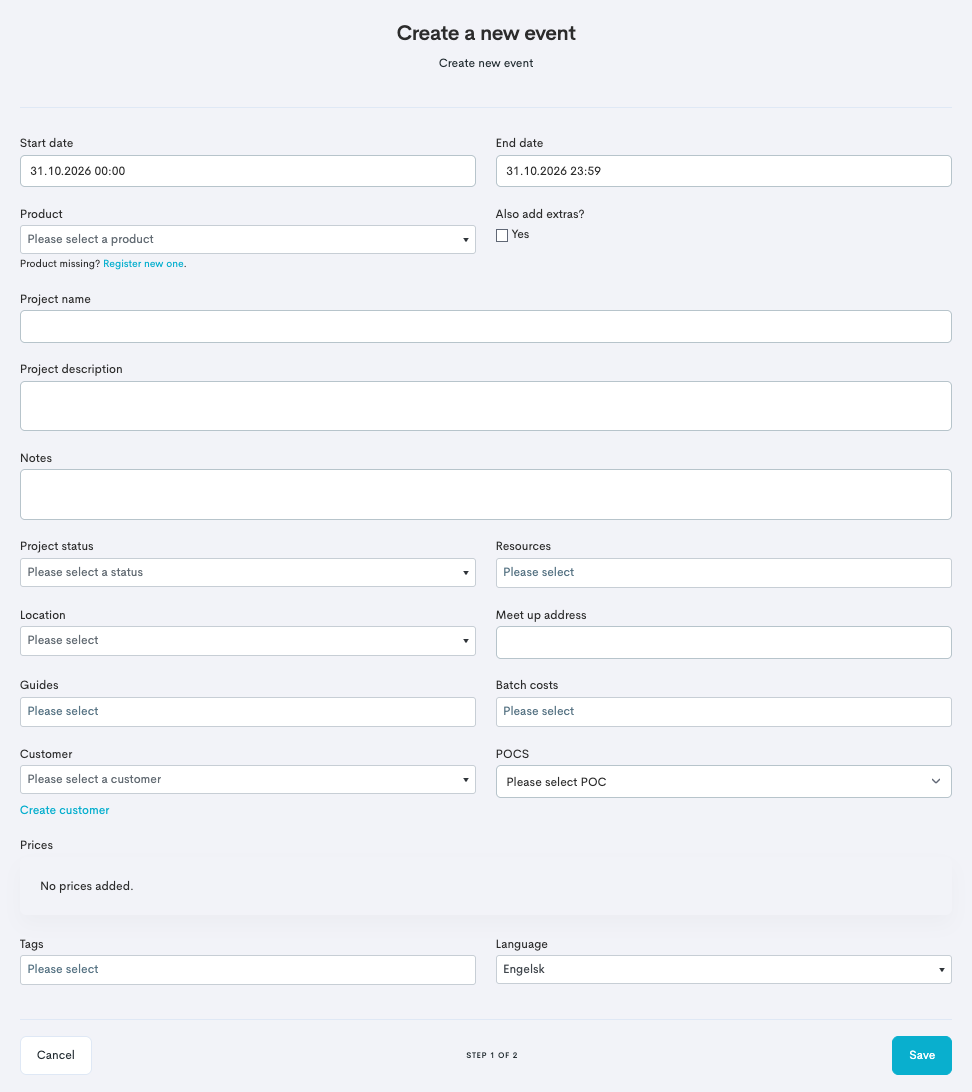
When the project is created, you can go ahead and manage it as described in the Manage a Private Event article.
|
Field |
Description |
|---|---|
|
Project name |
Is mandatory to fill out, but all info can be added and/or changed after you’ve created the private event. |
|
Date Range |
Is mandatory to fill out, but all info can be added and/or changed after you’ve created the private event. |
|
Group size |
Is mandatory to fill out, but all info can be added and/or changed after you’ve created the private event. |
|
Project language |
What language the event will be in. |
|
Customer |
A customer has to be created in the system and connected to the private event. |
|
POC |
Point of Contact, important to be able to establish contact with the designated contact person. |
|
Project description |
An internal description of the private event. |
|
Tags |
Is for filtering the project report by tags. |
To create a new project tags, click Projects in the left main menu. Then click Settings -> Project tags -> Add new tag.