

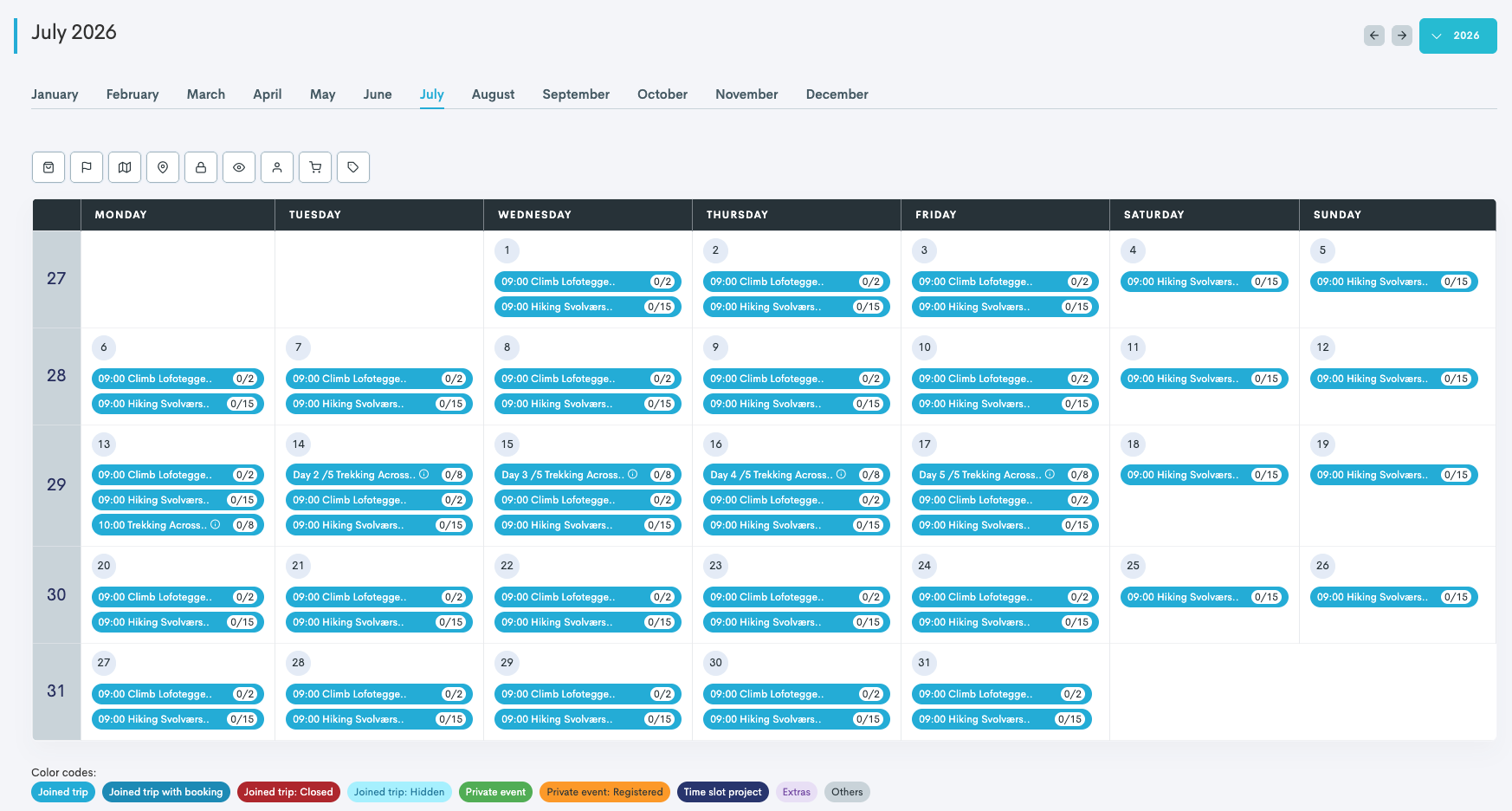
The month view in Bilberry's calendar shows all your events and bookings for a full month at a glance. Each day displays detailed entries for tours, activities, accommodation, and rentals, making it easy to spot busy days and get a clear overview of past and upcoming days.
Monthly Calendar View
Navigation lets you quickly jump between months or specific days. Color codes highlight different event types, helping you scan and prioritize information efficiently. You can click on a day to see more details, manage bookings, or review availability without leaving the main calendar screen.
Calendar Color Codes
|
Joined Trip |
Trips with no bookings that are currently available to book in widgets, Smart Events, and the Storefront. |
|
Joined Trip with booking |
Trips with bookings that are currently available to book in widgets, Smart Events, and the Storefront. |
|
Joined Trip: Closed |
Trips that are not available to book across all platforms. Trips can be closed manually or automatically (trip is fully booked or the resource is at capacity). |
|
Joined Trip: Hidden |
Trips that are not visible in widgets and therefore cannot be booked online. However, they remain accessible in Smart Events, the Storefront, and to your agents with backend access. |
|
Private Event |
Confirmed private events. |
|
Private Event: Registered |
Private events that have been registered but are not yet confirmed. |
|
Time Slot Project |
(Only for Membership module users). |
|
Extras |
Extras products that are available to book. |
|
Others |
Any other type of trip not indicated above. |





Monthly Calendar Navigation
Filtering
View only the most relevant trips using the filtering options below:
-
Products
-
Project Category
-
Destination
-
Location
-
Availability
-
Visibility
-
Need Staff
-
With Bookings
-
With Extras

Trip Information at a Glance
You can view the number of bookings on each trip straight from the calendar. In the example to the right, 3/8 indicates that we have 3 bookings out of the max possible bookable capacity of 8.
To access additional details such as resources and guides, simply hover over the trip.

Quick Actions
Click a date to access shortcuts for switching to the day view or weekly view. You can also register a new tour or private event from this menu.
